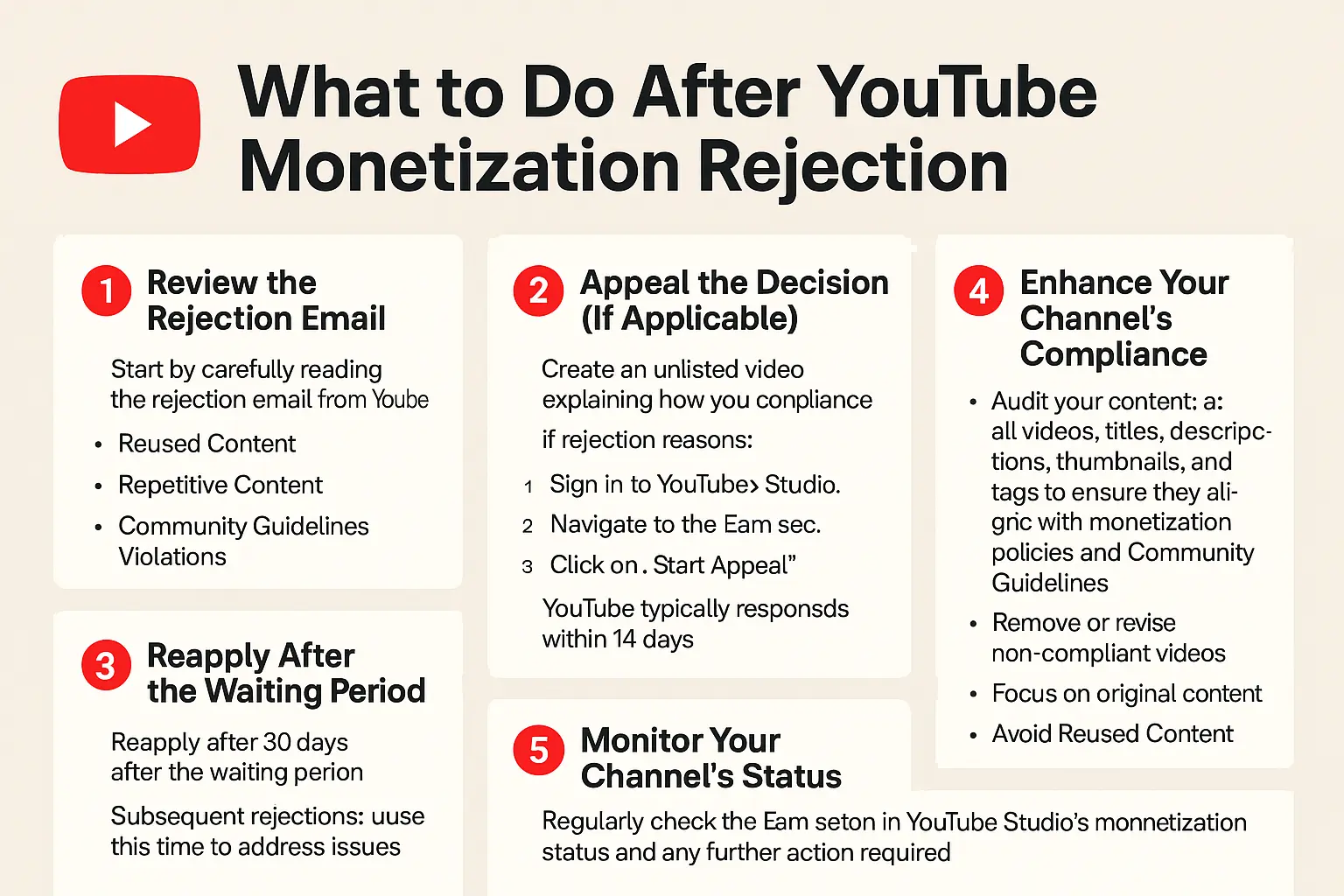
1. Understand why your YouTube monetization was declined to know the next step.
The very first thing to do if your monetization is declined is to know exactly why it happened. You need to know why the YouTube manual reviewers refused to allow monetization of your channel. Of course you know the monetization is done by real people who manually review your channel. So you need to know why your channel did not meet the standards. This is easy. Its easy because they tell you. When YouTube reviewers decline to monetize your channel they respond to you over an email with information. They tell you in the email why your monetization was declined. They will tell you where you went wrong or what rules you are violating. Some of the reasons they might give you are:- Reused Content. One of the most common reasons for monetization refusal is reusing content. This is uploading content from other content creators without adding any significant value.
- Repetitive Content. Another reason for monetization refusal is repetitive content. This is uploading very similar videos without any significant difference. Even if it is your original content, re-uploading same content is not allowed.
- Community Guidelines Violations. This is a very serious factor that can prevent your channel from being monetized. Content that violates YouTube guidelines such as hate speech, harassment or misinformation will not be monetized.
2. Appeal the Decision (If Applicable).
After you finish checking the reason why YouTube refused to monetize you, its time to take action. If you believe that the monetization refusal was a mistake, then you can appeal that decision. You appeal so that they review your channel again and see if they make a mistake. Usually, you can appeal after 21 days since the first refusal. To make a video appeal, make an unlisted video explaining why your content complies with YouTube policies. After you make the video, submit the appeal. Follow the following steps to appeal:- Sign in to your YouTube studio.
- Navigate to the earn section.
- Click on start appeal and follow the instructions to submit your video. You can read more about monetization refusal here.
3. Reapply After the Waiting Period.
If you choose not to appeal the decision, then you can reapply for monetization. Additionally, if the appeal was not successful, you can still reapply. Reapplying is the same process of requesting for monetization again. However, there is a slight difference. For the first rejection, you can reapply after 30 days from the previous rejection. Remember that all this time you continue creating content. If the reason for rejection is something that you can correct, then correct it. For consecutive rejections, you will have to wait 90 days before you can reapply for approval. Remember that all this time you need to keep working on the channel. Do not abandon it and then come later for a channel that has already become dormant. Another important thing to note is that even for the reapplication, you still need to meet all the YouTube monetization criteria. Say for example, after your first application your subscribers dropped below 1000, then do you will have to get the 1000 subscribers again. Most importantly, remember that these numbers needed for the monetization apply for the last 365 days. This means that you got 4000 watch time hours over the past 365 days. Similarly, you got 1000 subscribers over the past 365 days. Hence keep working on your channel.4. Enhance Your Channel's Compliance.
Don't be pushy with YouTube. Do not get into a "confrontation" with YouTube monetization team. What i mean by this is that when they refuse to monetize you do not just reapply again just because you feel entitled. Make an effort of solving the problems that are preventing you from monetization. From step 1, read the response email and understand why the monetization failed. Then work on the problem. To improve your future chances of monetization, do the following:- Audit Your Content. Before you reapply for monetization, go through your content to make sure that its compliant. Review all videos, titles, descriptions, thumbnails and tags. Ensure they align with YouTube's monetization policies and Community Guidelines.
- Remove or Revise Non-Compliant Videos. Edit or delete content that is not compliant.
- Focus on Original Content. If you have been re-uploading reused content you need to stop that and make your own original content.
- Stop repetitive content. If you have been re-uploading similar content then you need to stop. Start making more original content and publish it.